Projects
Explore my portfolio of projects across different technologies.
An AI-powered image search app that uses Gemini Vision AI to extract tags, objects, scenes, and colors, making any image searchable by keywords.




Upload hundreds of images, then try to find one specific photo. Without metadata you scroll forever, and naming files by hand is tedious and inconsistent.
What if every image could describe itself the moment it's uploaded?
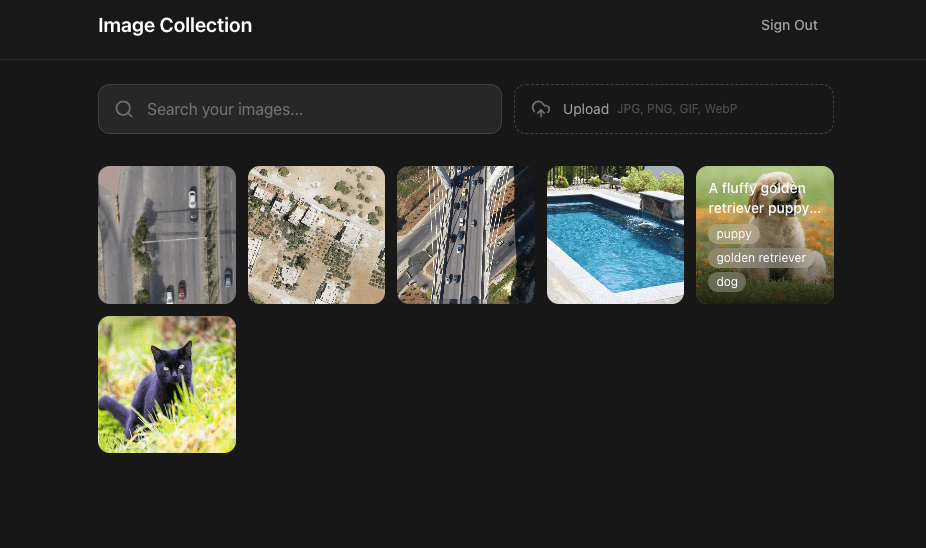
Searchable Images is a full-stack app that brings AI to image management. On upload, Google's Gemini Vision analyzes each image and extracts a description, tags, objects, scene types and dominant colors. All of it becomes searchable, so finding an image is as simple as typing a word.
10 | images per upload
5 | kinds of AI metadata per image
1 | search bar across every field
3 → 7 | gallery columns, mobile to desktop
I built it during my AI Engineering internship at SAGER, a company specializing in ultra-HD aerial mapping and geospatial technology. The goal was to prototype how vision models could plug into SAGER's platform, so their team could upload aerial and satellite imagery and have it categorized automatically instead of tagging thousands of photos by hand.
Upload | Drag and drop up to 10 images at a time (JPG, PNG, GIF or WebP).
Analyze | Each image goes to **Gemini 2.5 Flash**, which returns structured metadata: a description, tags, objects, scenes and colors.
Search | Type anything. The query runs across every metadata field and matches instantly.
https://pmerpfdlvkhayhritnhy.supabase.co/storage/v1/object/public/markdown-images/markdown-images/02443b02-a7b3-4484-9ffe-fbbda1ae6322.png | Searching "animal" finds the cat and the puppy, though neither file has the word in its name
https://pmerpfdlvkhayhritnhy.supabase.co/storage/v1/object/public/markdown-images/markdown-images/46d6403f-1f15-4dc6-a059-466a5ee252c2.png | The detail view shows everything the AI extracted from one photo
Open any image and the detail view shows its description (a plain-language summary) plus four kinds of searchable labels. For one backyard pool photo:
Tags: swimming pool, outdoor pool, luxury
Objects: waterfall feature, stone tiling, plants
Scenes: outdoor, backyard, residential
Colors: blue, white, green
You never need the filename: searching **"blue"** finds pools, skies and ocean photos, and **"outdoor"** finds parks, backyards and street scenes.
Frontend
- **Next.js 15** App Router with React 19 Server Components
- **Tailwind CSS** gallery that grows from 3 columns on mobile to 7 on desktop
- **React Dropzone** for drag-and-drop uploads
- Hovering an image previews its tags and description

Backend & database
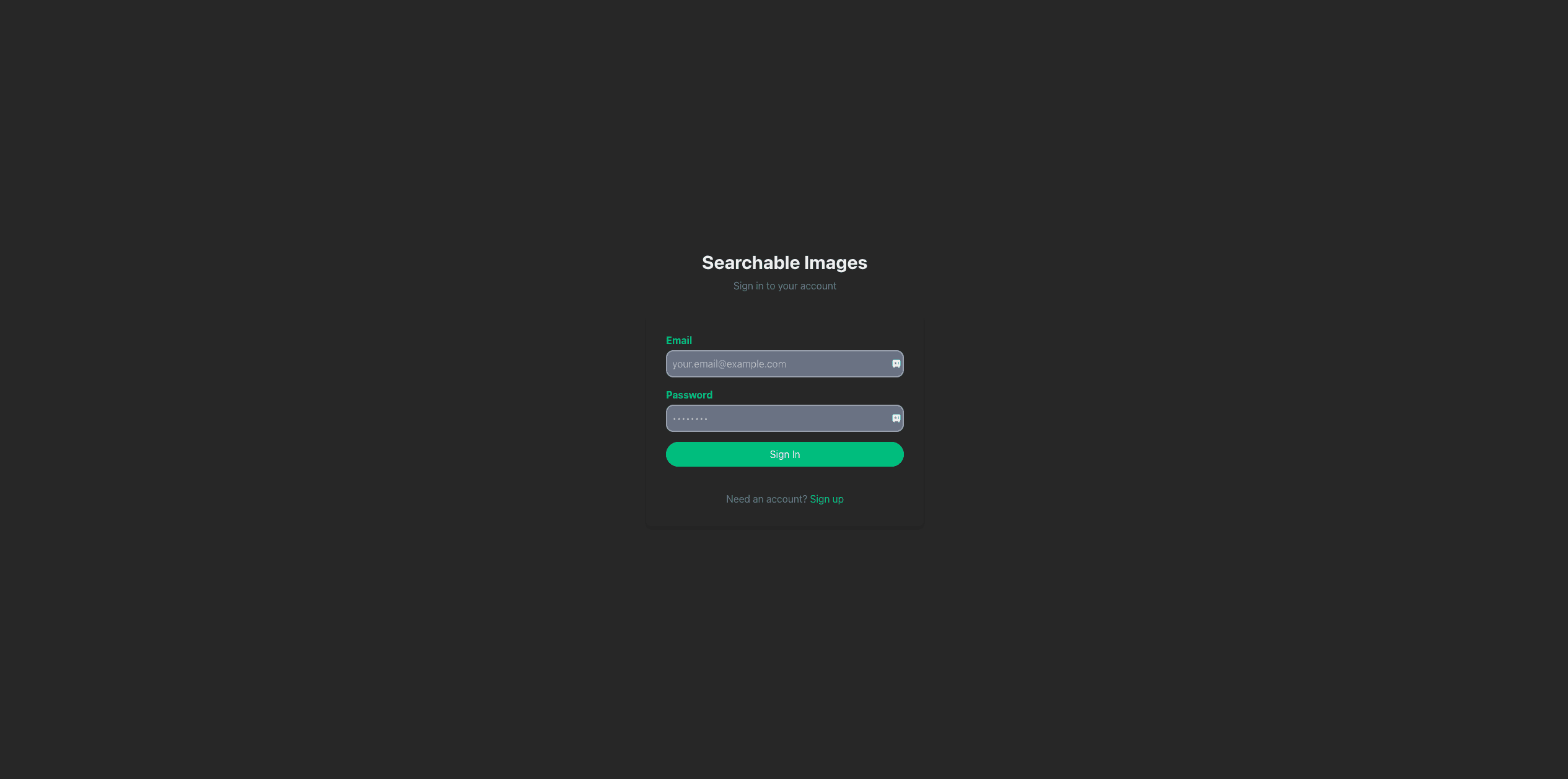
- **Supabase** for auth, Postgres and file storage in one platform
- Two tables: `images` (files and storage paths) and `image_metadata` (all AI output)
- **GIN indexes** on every metadata array for fast search
- **Signed URLs** for secure, time-limited image access

AI integration
- **Gemini 2.5 Flash** Vision API processes every upload
- The image goes in as base64; structured JSON comes back
- Analysis runs server-side during upload, so images are searchable the moment they appear
- If analysis fails, the upload still succeeds, just without metadata

Security
- **Row Level Security** so every user sees and manages only their own images
- Storage organized in per-user folders, enforced by upload policies
- Middleware refreshes the session on every request
- Every API route verifies the user before doing any work
The data model is intentionally simple:
images
├── id (UUID)
├── user_id (references auth.users)
├── storage_path
├── file_name
├── content_type
├── size
├── url (signed URL)
└── created_at

image_metadata
├── id (UUID)
├── image_id (references images)
├── description (text)
├── tags[] (text array)
├── objects[] (text array)
├── scenes[] (text array)
├── colors[] (text array)
└── created_at
Storing tags, objects, scenes and colors as Postgres arrays instead of junction tables keeps queries simple, while GIN indexes keep lookups fast across every field.
Supabase replaced three services I'd otherwise have had to stitch together:
Auth
- Email and password sign-in with session management
- No separate auth service

Database
- Full Postgres with Row Level Security
- Isolation enforced in the database, not just in app code

Storage
- File storage with signed URLs
- Folder-based access policies, no separate S3 bucket
That left my time for the AI integration and the user experience.
This was one of two full-stack deliverables from my internship. SAGER works with ultra-HD aerial and satellite imagery, and the question was clear: how do you make thousands of photos searchable without tagging them by hand?
The proof of concept showed that Gemini reliably extracts meaningful tags, objects and scenes from very different images, **making it viable for SAGER's production platform**.
| Layer | Technology |
|---|---|
| Framework | Next.js 15 (App Router) |
| Language | TypeScript |
| Styling | Tailwind CSS 4 |
| AI model | Google Gemini 2.5 Flash |
| Database | Supabase (PostgreSQL) |
| Auth | Supabase Auth |
| Storage | Supabase Storage |
| Security | Row Level Security |
| Uploads | React Dropzone |
| Icons |
| Lucide React |